Build intelligent Siri experiences, Part 1: App Entities
Table of Contents
App Intents lets us describe the content and actions in our apps to the system. App Schemas give that content and those actions a structure Siri understands.
This is the first part of a series on building intelligent Siri experiences, following Apple's WWDC26 session Build intelligent Siri experiences with App Schemas. In this part, we'll focus on App Entities and how to make our app's content understandable and discoverable by Siri.
What's new in Siri
Siri becomes more powerful in three key ways:
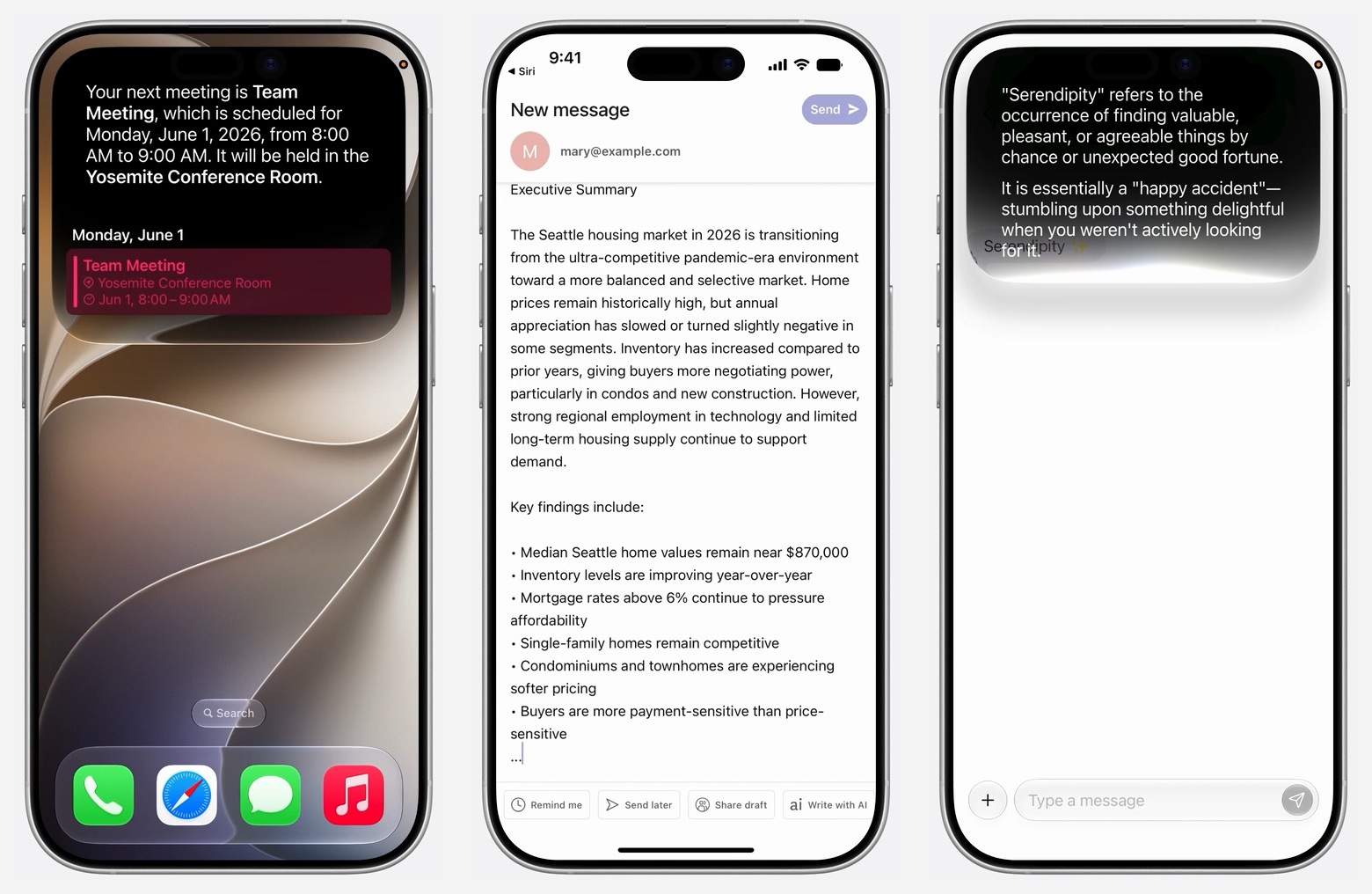
- Access your app's content. App Entities describe meaningful content, such as calendar events or messages. Siri can use that information to answer questions about an upcoming meeting, including its time and location.
- Perform actions in your app. App Intents describe supported actions, such as sending an email, and the information those actions need. Siri handles the language understanding, while our app focuses on the action.
- Understand what's on screen. By associating views with App Entities, your app gives Siri context for requests about visible content. Someone can refer to a product they are viewing without having to name it.
These capabilities build on the App Intents framework. Apple introduces them in the session's What's new in Siri chapter.
You can easily support sarunw.com by checking out this sponsor.

Offline Transcription: Fast, privacy-focus way to transcribe audio, video, and podcast files. No data leaves your Mac.
App Entity: Contributing content
An App Entity is a structured description of content in our app that the system can understand. For example, an entity could represent an event in a calendar app, a message in a messaging app, or a photo in a photo library.
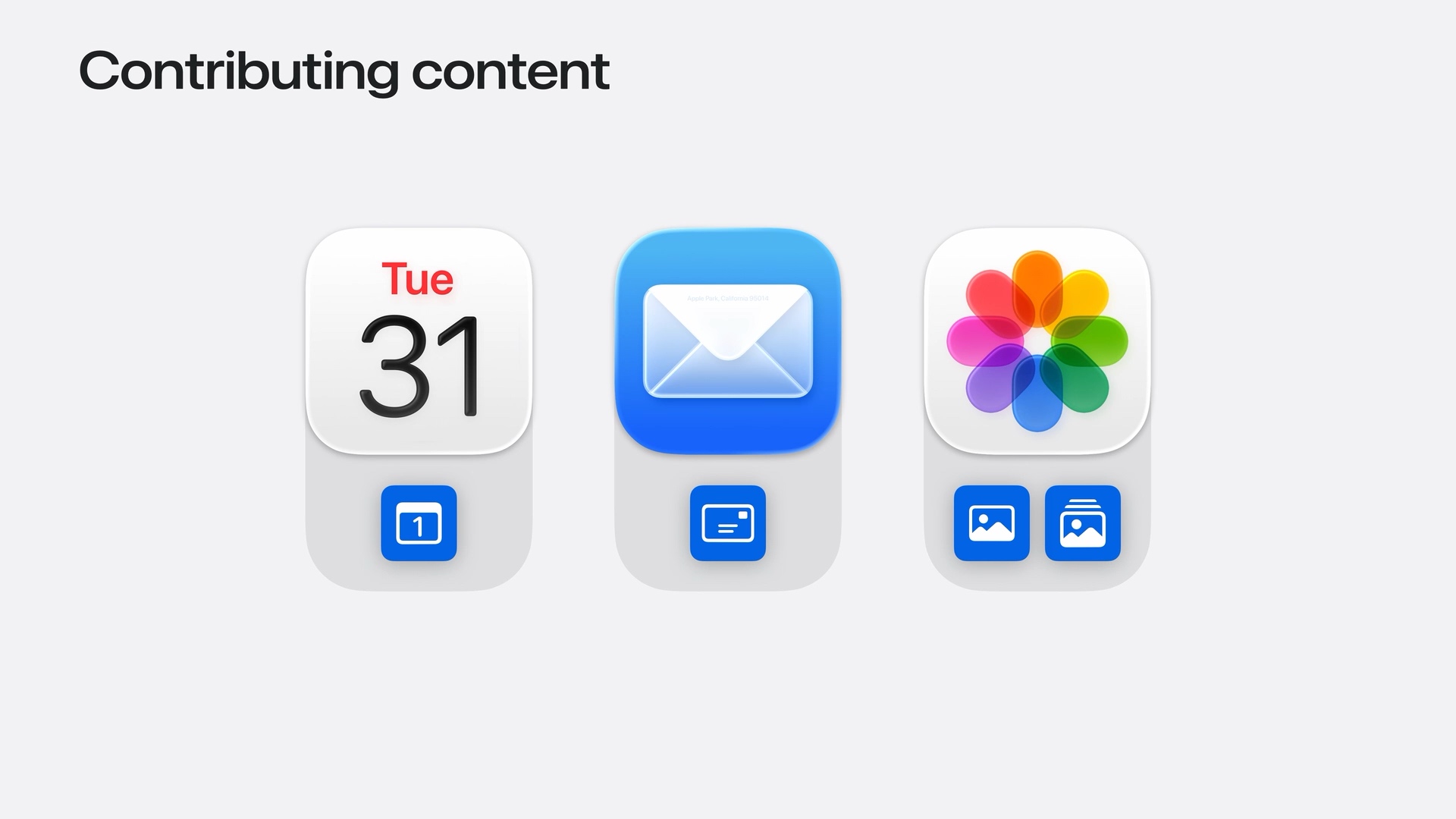
An entity describes three things:
- What it is, such as a calendar event.
- How to identify it, so the system can refer to that specific event.
- Which properties matter, such as its title, date, and location.
App Entities are not a new data model. We keep our existing data model and use App Entities to describe its content so the system can understand it.
Apple introduces this in Contributing content with App Entities.
App Schemas give content meaning
Providing data alone is not enough for Siri to understand what it represents. Imagine an entity named Event with a title and a date. It could represent a calendar appointment, a concert, or an event recorded in a crash log. Those property names alone don't tell Siri which meaning we intend.
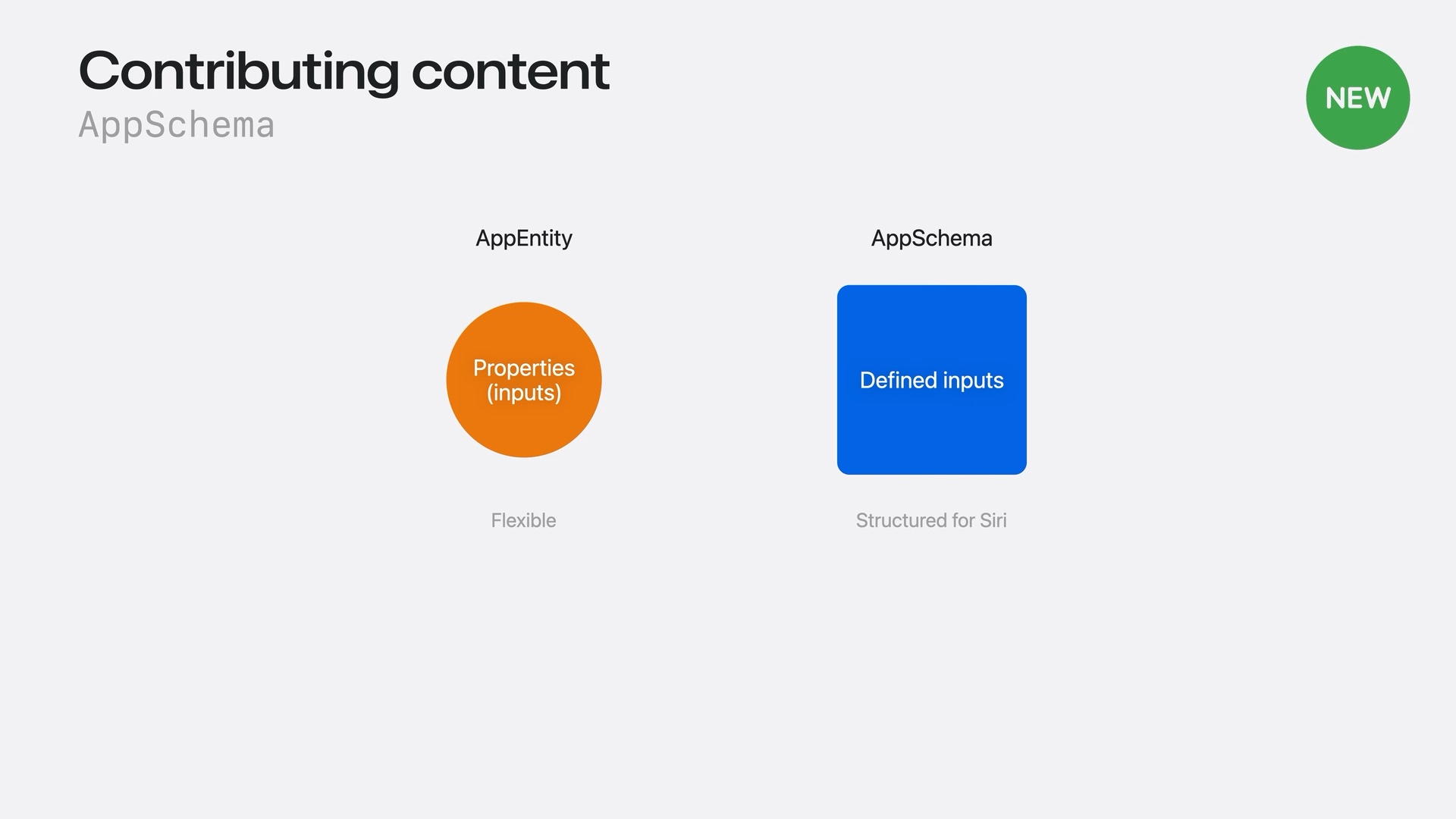
An App Schema provides an Apple-defined structure for a concept Siri already understands, such as a message, contact, or document. By making our entity conform to an appropriate schema, we tell Siri what kind of content it represents and how its properties fit that concept.
The schema gives Siri a shared understanding of the content, so it can interpret a person's request in the context of our app.
Entity resolution
Once Siri understands what kind of content our app provides, it needs to find the specific item someone is referring to. Entity resolution connects what a person says to an actual App Entity in our app.
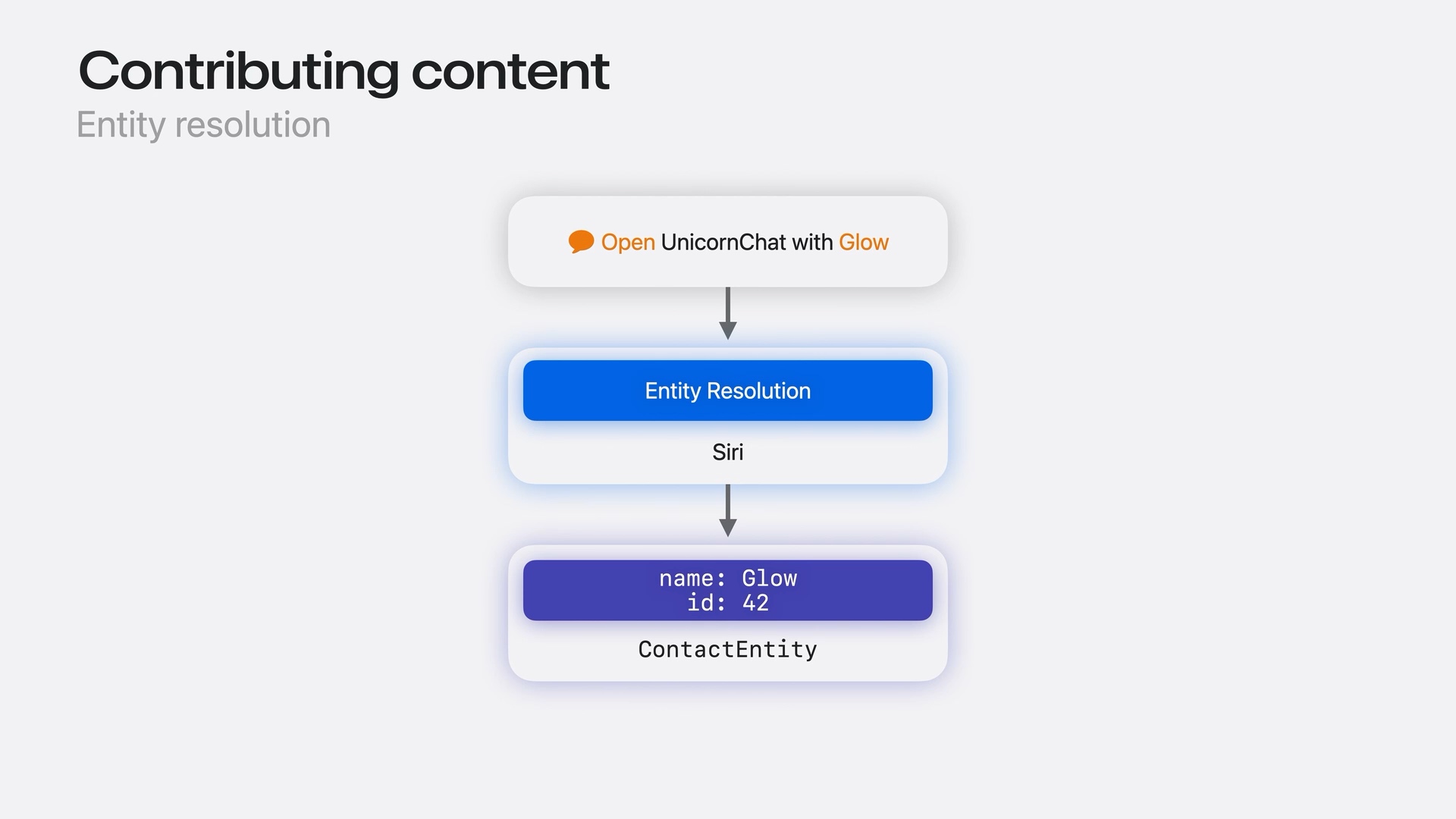
For example, someone asks, “Open UnicornChat with Glow.” UnicornChat is Apple's sample messaging app, and Glow is one of its contacts. The resolution process works like this:
- Siri identifies Glow as the contact mentioned in the request.
- It finds the matching contact entity in UnicornChat.
- The resolved entity provides its identifier and properties. In the diagram, that is a
ContactEntitywithname: Glowandid: 42.
The system can then use that specific entity when carrying out the requested action. Our app has an identified contact to work with, instead of just the word “Glow.”
People don't always refer to content by its exact name. They might describe a topic, a place, or something they remember about it.
For example, someone looking for the best windsurfing in Carmel wants content about that activity in that location. Matching individual words could return content about windsurfing elsewhere, or about Carmel without any connection to windsurfing.

To handle these requests, Siri needs semantic search: finding relevant content by meaning. This lets people describe what they are looking for without knowing the exact title or wording stored in our app.
IndexedEntity enables semantic search
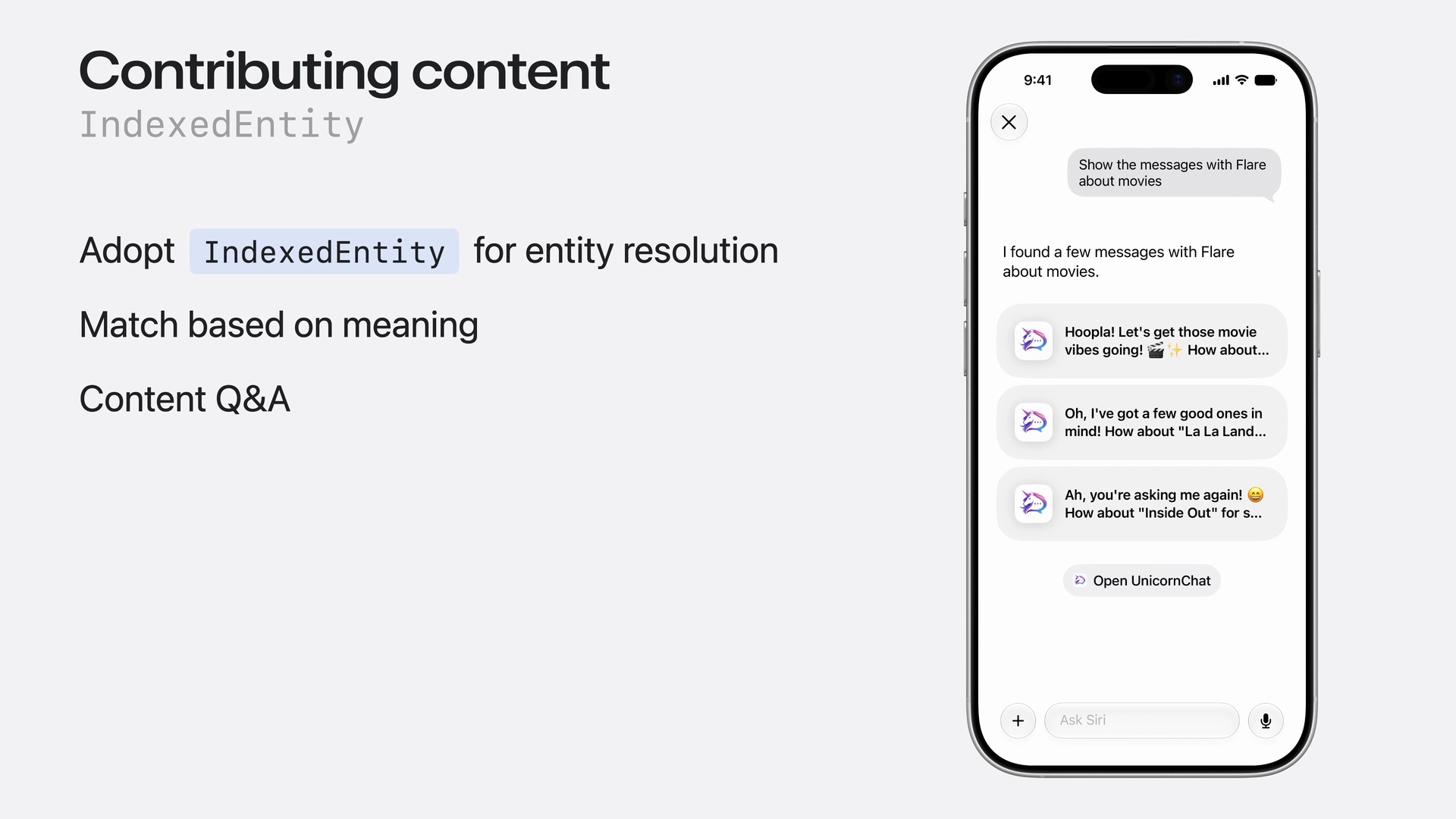
This is where IndexedEntity comes in. We adopt this protocol on our schema-conforming entities and make their content available in the system's semantic index. Once indexed, Siri can match content based on meaning, not just text.
For example, someone might ask:
Show the messages with Flare about movies.
Siri returns relevant messages from UnicornChat, including ones mentioning La La Land and Inside Out. It can find messages about movies even when they don't contain the word “movies.”
Siri can also understand relationships between entities and answer questions using our indexed content. In the messaging example, this includes connecting messages to the contact they belong to. The indexed content can help Siri answer a question as well as find relevant items.
Adopting IndexedEntity
The session shows this simplified declaration for a message entity:
@AppEntity(schema: .messages.message)
struct MessageEntity: IndexedEntity {
    // The text content of the message
    @Property(indexingKey: \.textContent)
    var body: AttributedString?
}
There are three parts to this declaration:
@AppEntity(schema: .messages.message)associates the entity with Apple's message schema. This tells Siri that the content represents a message.IndexedEntitymakes the entity eligible for Spotlight indexing, which provides the content Siri uses for semantic search.@Property(indexingKey: \.textContent)mapsbodyto Spotlight's text-content attribute. This tells Spotlight to include the message body in the search index. The property is an optionalAttributedString, so it can contain formatted text or benil.
The indexing key connects our app's property to a field Spotlight understands. Our property is named body, but Spotlight receives its value as textContent when the entity is indexed.
Once the message content is indexed, Siri can search it by meaning and use it to answer questions. A request about movies can find messages mentioning La La Land or Inside Out, even without the exact search words appearing in the message body. Siri can use the content of those messages to help answer the person's question.
Not everything can be indexed
Indexing content ahead of time isn't always practical. For example, our app might have:
- A large dataset.
- Content that lives on a server.
- Data that changes too frequently to keep an index current.
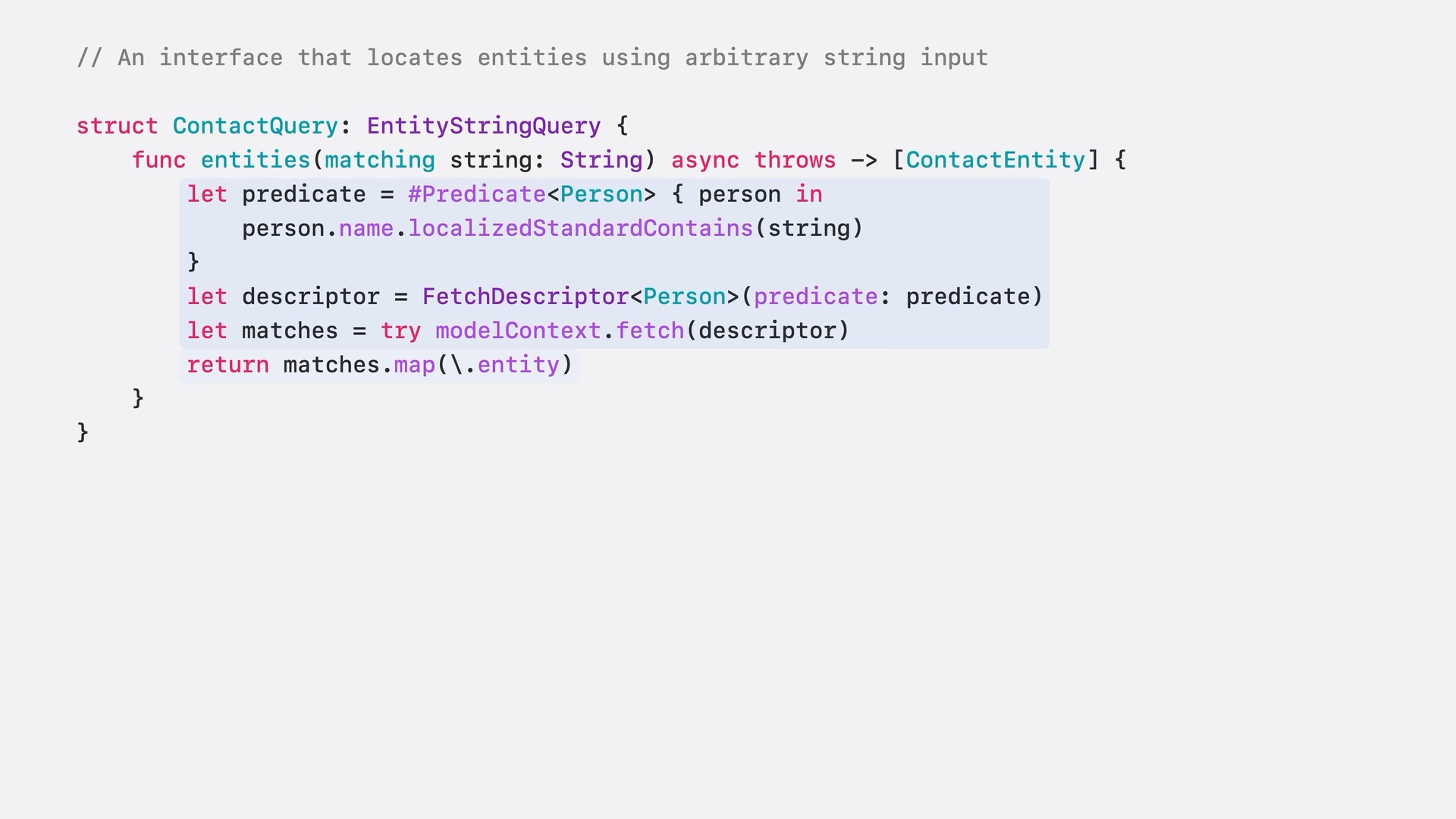
In these cases, we can use EntityStringQuery to find entities when a request arrives. Siri handles the language understanding and passes a search string to our app. Our app is responsible for finding matching entities and returning them to the system.
You can easily support sarunw.com by checking out this sponsor.
Offline Transcription: Fast, privacy-focus way to transcribe audio, video, and podcast files. No data leaves your Mac.
Summary
To help Siri understand and find our app's content:
- Describe existing content as App Entities. Give each entity an identity and expose its useful properties. We can keep our existing data model.
- Conform entities to an appropriate App Schema. This gives Siri a familiar meaning for the content and its properties.
- Adopt
IndexedEntitywhenever possible. Map searchable properties withindexingKeyand index the content so Siri can match by meaning, understand relationships, and answer questions using it. - Use
EntityStringQuerywhen indexing isn't feasible. Search our app's data using the string supplied by Siri, then return the matching entities to the system.
By doing this, we make our app's content discoverable through Siri. People can find the content they need, and indexed content lets Siri answer questions about it.
We can make this more powerful by combining our content with actions. In Part 2: Actions, we'll look at how to let Siri take action in our app.
Read more article about iOS, Siri, App Intents, or see all available topic
Enjoy the read?
If you enjoy this article, you can subscribe to the weekly newsletter.
Every Friday, you'll get a quick recap of all articles and tips posted on this site. No strings attached. Unsubscribe anytime.
Feel free to follow me on Twitter and ask your questions related to this post. Thanks for reading and see you next time.
I also make short videos and visual guides on Patreon. Some things are easier to see than to read, like how an API looks and moves on a real screen. If you like to learn that way, come and watch. Sharing the article is also greatly appreciated.
Become a patron Tweet ShareSheets and fold avoidance on iPhone Duo
How sheets and system components adapt to the poses and fold of iPhone Duo.