Set the split size of ArrangementView with splitArrangementLayoutRatio
Table of Contents
When ArrangementView splits two views, each one gets half of the screen by default.
If you want one view to be smaller, like a cover next to an article, iOS 27.1 adds a modifier for that: splitArrangementLayoutRatio.
How to use splitArrangementLayoutRatio
Apply it to one of the views inside ArrangementView. The ratio is that view's share of the screen, from 0 to 1.
ArrangementView {
    FirstView()
        .splitArrangementLayoutRatio(idealHorizontal: 1 / 3)
} secondary: {
    SecondaryView()
}
idealHorizontal is for when the views sit side by side. Here, First View takes a third of the width and Secondary View takes the rest.
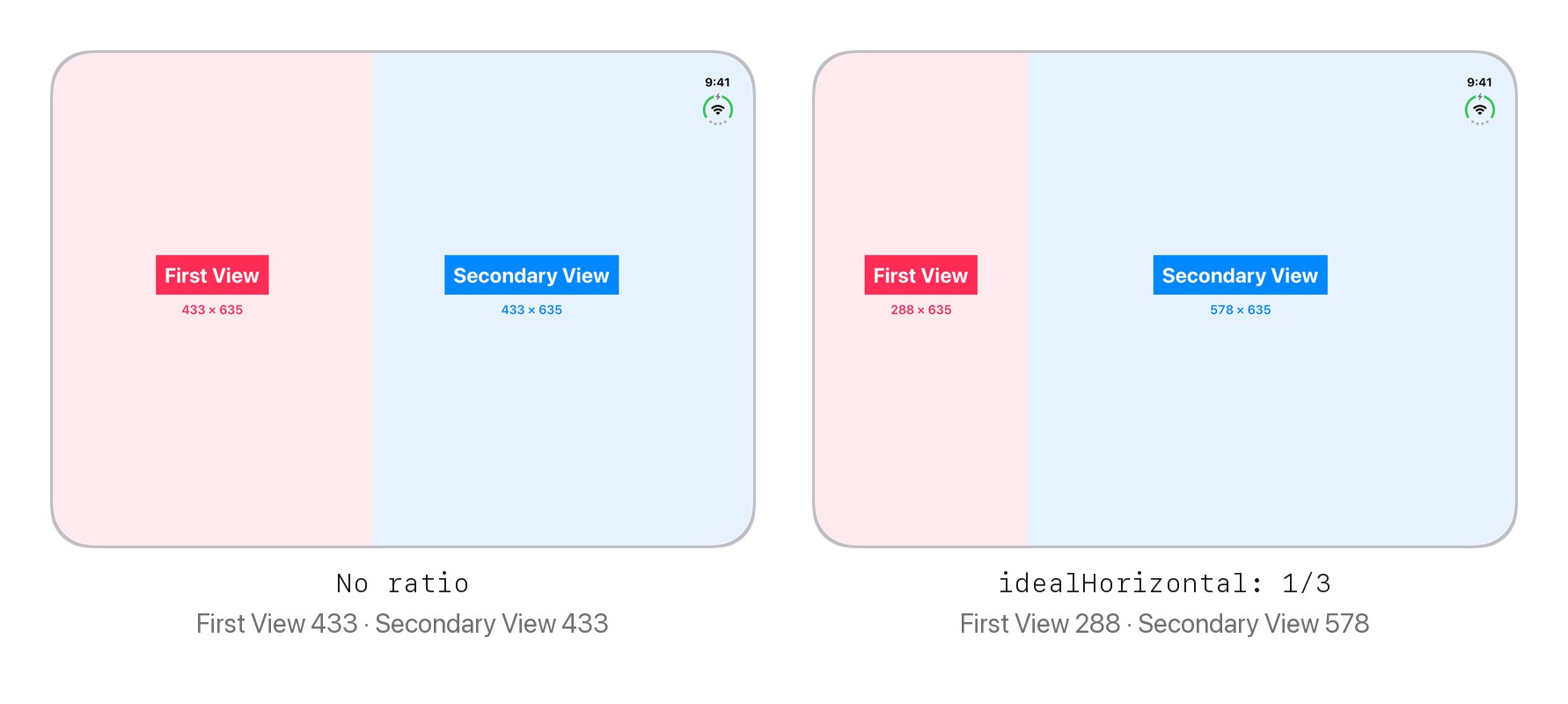
idealHorizontal: 1 / 3, First View is 288 and Secondary View is 578.You can put the modifier on either view. Put it on the secondary view, and the secondary view gets that share instead.
You can easily support sarunw.com by checking out this sponsor.

Translate your app In 1 click: Simplifies app localization and helps you reach more users.
Stacked views
When the screen is taller than it is wide, ArrangementView stacks the views instead. For that, use idealVertical.
FirstView()
    .splitArrangementLayoutRatio(idealVertical: 1 / 3)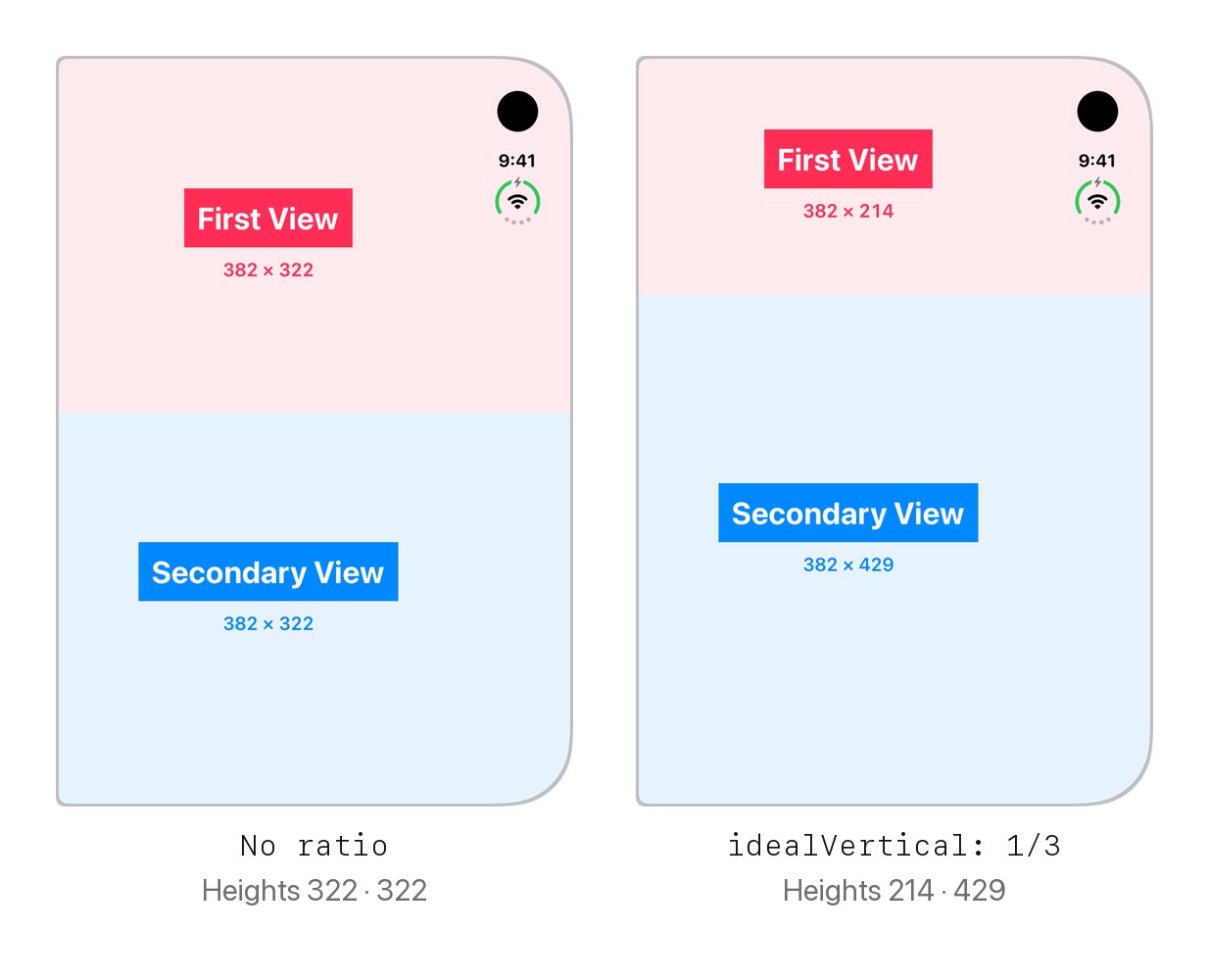
idealVertical: 1 / 3, First View is 214 and Secondary View is 429.Each value only works on its own axis. idealHorizontal does nothing when the views are stacked, and idealVertical does nothing when they are side by side.
One value for both
If you want the same ratio either way, pass a single value.
FirstView()
    .splitArrangementLayoutRatio(1 / 3)
It gave 288 points wide when open and 214 points tall when folded, the same as idealHorizontal and idealVertical at 1/3.
The fold comes first
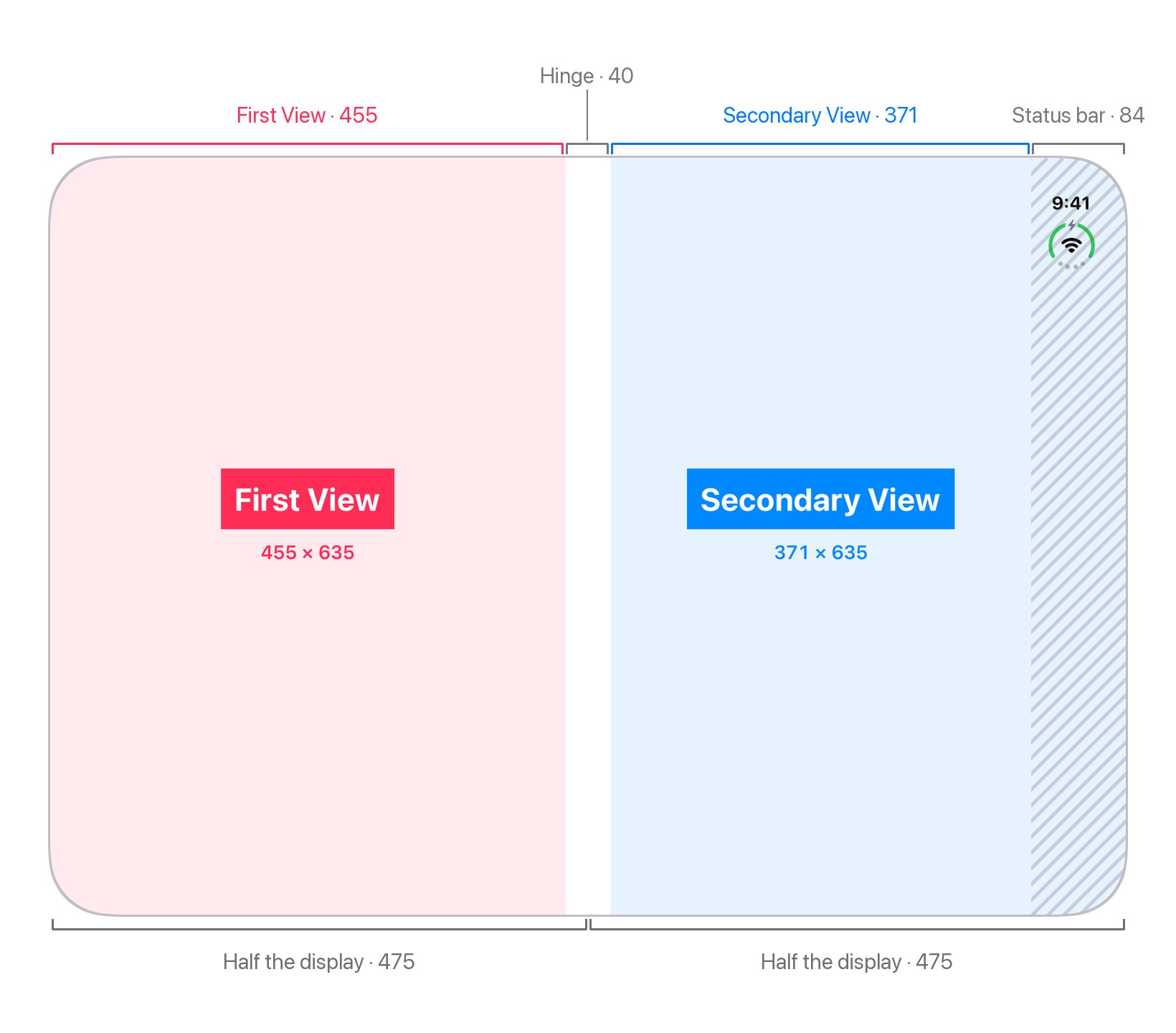
On a half-open iPhone Duo, the split always sits on the fold. The ratio is ignored.
With or without a ratio, the two views were 455 and 371 points wide, one on each side of the hinge.
They aren't equal because of the status bar, not the split.
You can easily support sarunw.com by checking out this sponsor.
Translate your app In 1 click: Simplifies app localization and helps you reach more users.
Things to know
- It's iOS 27.1.
splitArrangementLayoutRatio, andArrangementViewitself, need iOS 27.1. - The view doesn't grow to fit. If the content needs more space than the ratio gives, it spills out of its area. Pick a ratio that leaves enough room for your content.
- There's more than an ideal value. The full version also takes a minimum and a maximum for each axis:
minHorizontal,idealHorizontal,maxHorizontal, and the same for vertical. If you want a size in points instead of a ratio, there'ssplitArrangementLayoutSize(minWidth:idealWidth:maxWidth:minHeight:idealHeight:maxHeight:).
Read more article about iOS, SwiftUI, or see all available topic
Enjoy the read?
If you enjoy this article, you can subscribe to the weekly newsletter.
Every Friday, you'll get a quick recap of all articles and tips posted on this site. No strings attached. Unsubscribe anytime.
Feel free to follow me on Twitter and ask your questions related to this post. Thanks for reading and see you next time.
I also make short videos and visual guides on Patreon. Some things are easier to see than to read, like how an API looks and moves on a real screen. If you like to learn that way, come and watch. Sharing the article is also greatly appreciated.
Become a patron Tweet ShareSize classes on iPhone Duo
The horizontal and vertical size classes, and the display size in points, for every iPhone Duo pose and orientation.
some View? without parentheses in Swift 6.4
Swift 6.4 lets us write some View? and any P? without wrapping the type in parentheses. Here is why the short form used to fail, what works now, and the one case that still needs them.